YouTube Video Shorts Tips
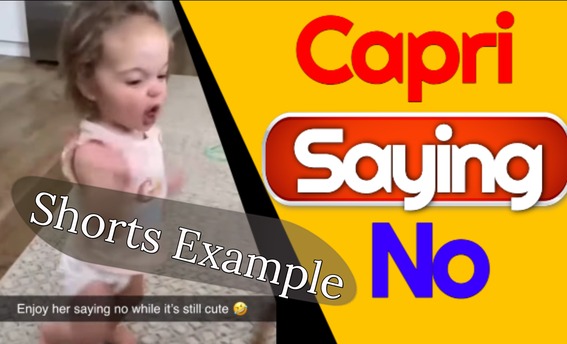
I’ve just created my first ‘Shorts’ video on Youtube, which you can watch by clicking on the following link; Baby saying no video. As YouTube video shorts are said to be the next big way to grow your channel and make money whilst doing it I decided to write these YouTube Video Shorts Tips.
YouTube Video Shorts Tips & How To
As I’m not a YouTube Shorts expert, I decided to research some YouTube Shorts. With the help of Content Gorilla, which allowed me to repurpose VidIQ’s video, and Grammarly, I can produce this post.
YouTube Shorts are YouTube’s answer to TikTok, evident as the horizontal format is very similar to what you already find on TikTok. I’m sure you’ve seen many a Shorts video by now and have noticed how each video is less than 60 seconds in length.
Shorts have proven to be a great way to build audiences fast, which is why I thought I should give them a go. For illustration, in six months, 3D animator Jake Fellman’s YouTube Shorts have brought in almost 5 million readers and over three and a half billion views.
Being able to monetize Short video is an added incentive to include them in my video repertoire.
Creating A Short Video Is Easy
You can create a Short video using the YouTube video app by clicking on the ‘+’ at the bottom of your screen. Then select ‘Create a Short! If you don’t have access to the Short camera tool yet, don’t worry. You can still create YouTube Shorts by uploading your video as you usually do. However, make sure it’s in horizontal video format and less than 60 seconds long so that it can qualify as a YouTube Shorts.
Several tools appear on the right of your screen when you’re ready to record. The first one lets you select either the forward or rear-facing camera on your phone.
The speed button allows you to adjust the velocity of your recordings. If you specify the slider as very fast, everything speeds up, creating a time-lapse effect. You get a slow-motion impact if you move the slider to very slow.
There are two ways to record a video. You can tap the record to start and then tap to stop, or hold onto the record button and then release it to end the recording. You can record as many scenes as you like, shown in the timeline above. Each white notch represents a scene, and you can use the undo and redo on either side of the record button to remove or approve videos you’ve recorded. If you need to finish off your current YouTube Short later, you can do so by tapping on the cross button and opting to save and exit.
Upon returning to the Shorts camera, it will ask if you want to carry on your previous Shorts or start a brand new one. The
Adding Music YouTube Shorts Video
Add Music feature is currently in development so that the specifics may change, but this is how it generally runs. You can probe and scroll through popular music moves, favourite them, preview them and include them in your own YouTube Shorts.
Now, when you push the record button, you’ll be able to hear the music and sync whatever crazy trash you want to use in your video.
Once you’ve advanced to the next screen, you can choose some music if you haven’t already done so. Once you’ve selected the music, you may notice it doesn’t sync properly with your video. Which is where the ‘adjust music’ comes into play. It allows you to place your selected music track precisely where you want it on your video.
The alternative way is to pick music after recording the video. This music selection is a moderately deep rabbit hole because you’ll see an audio sample button in the bottom right-hand corner of the screen when you’re watching YouTube Shorts. Which, if tapped, will show you all the videos that have used that audio, the audio source and the ability to start creating your Shorts applying that audio.
Apparently, any audio from any YouTube Shorts is up for grabs as we currently understand it. You won’t get a copyright warning, but you can only use it for personal, non-commercial use.
Adding Text To A YouTube Shorts Video
An important YouTube Video short tips is that you can also add text to your Shorts video. If you’ve ever used Instagram stories or YouTube stories, you will be very familiar with how this works. You can change the font, the background, the shade, resize it and set it anywhere on the video. You can add several blocks of text, but just like the music, you may want the text to work with the video, which is where the timeline feature comes into play. It allows you to balance the text boxes, so they appear and disappear when you want them to during the video. Just tap and drag the ends of the text chests to join what’s happening in the video.
Now, this might freak out seasoned YouTube developers a little bit. You can’t upload a custom thumbnail write a video description, or add video tags, making your video title super important because it’s doing all of the heavy lifting. So keep it short, so it doesn’t get cut off and make it impactful. You can also add ‘#shorts’ to your title as it may increase the visibility of your content. Short-spoken to your deed, and you probably should, as it may increase the visibility of your content.
Although you can’t do all these important things via your smartphone, you can do it in YouTube Studio.
You might consider adding a pinned comment to explain to viewers what your YouTube Shorts is about because when spectators go to the comments for that YouTube Short, the first comment they will see is your pinned comment.
Audience retention on YouTube Shorts is critical, and ideally, you want your public to watch your video more than once. You viewers most likely want to be entertained, but they could want to be inspired and acquainted. The critical thing is they want that experience as quickly as possible. Just because you have 60 seconds, don’t use that time if you don’t need it.
And some developers are even looping their videos intentionally for great public retention multitudes. And finally, the best content, as always, is shareable material. Consider why you share certain things with your best friend and family. It’s because that video affected you in a significant way, and you demand others to share in that experience. Be it happiness, laughter, inspiration, even a moving legend that brings you to tears.
Incredibly YouTube Shorts can do all this in as little as five seconds. I hope you enjoyed my YouTube Video Shorts tips.
Other Topics To Keep You Entertained
My FitBit Pay not working on my Ionic has proved to be a popular post.
And now, for my customary self-promotion of my growing YouTube Channel. As you know, I’m always looking for new subscribers, so why not consider subscribing to my My Bonzer Channel. My most popular video, with over 20k views, is the funny golf video. Wouldn’t it be great if the farmer’s daughter and his wife became as popular?
If you ever wondered how to remove a background from an image, you should watch my Removing the background with InPixio Photo Clip. I’ve also found LuminarA1 to be a fantastic photo editor.